Uninterrupted Workflows
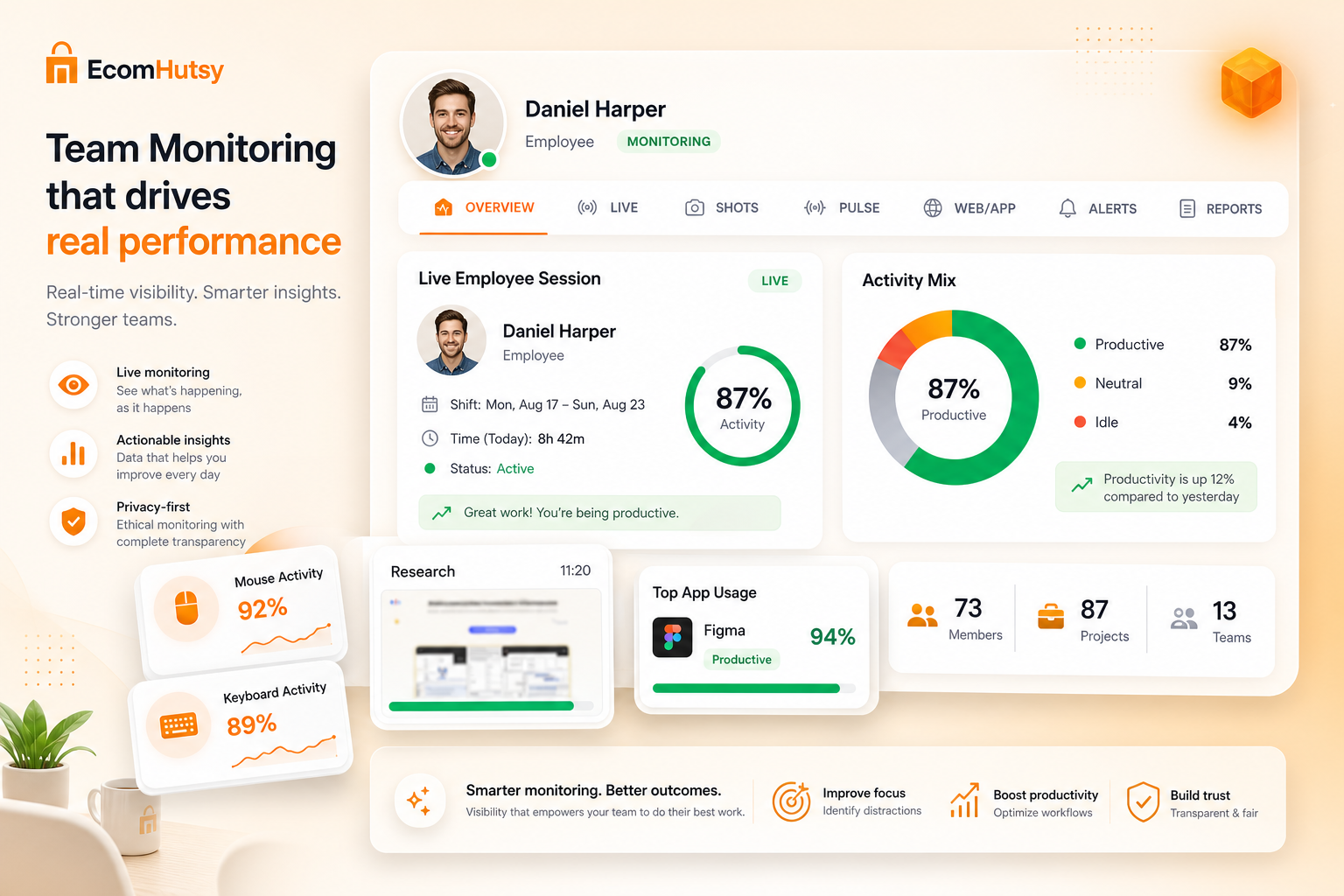
EcomHutsy Team Monitoring runs invisibly in the background with no pop-ups or interruptions, so employees stay focused while managers still get complete operational visibility.
Workforce Operations
Bring distributed work signals into a focused management experience designed for transparent policies, faster review and clearer team operations.
50+
Powerful features
100+
Reports & insights
99.9%
System uptime
24/7
Monitoring
Why it matters
EcomHutsy Team Monitoring is designed specifically for employee monitoring on company-owned devices. Running unobtrusively in the background, it records precise productivity data without interruption — delivering secure device oversight and compliance with ease.
EcomHutsy Team Monitoring runs invisibly in the background with no pop-ups or interruptions, so employees stay focused while managers still get complete operational visibility.
It launches automatically at device startup with zero manual steps — delivering accurate, reliable productivity data from day one and removing guesswork from workforce decisions.
Setup is controlled by admins with encrypted protocols, so only authorized leaders configure monitoring, access, and compliance rules for company-owned devices.
Ideal for IT-managed workstations where uninterrupted data collection is required for security, auditing, remote oversight, and policy-backed monitoring.
Key Benefits
Team Monitoring turns distributed work signals into a clear management experience — so leaders can set policy, review activity, and support better outcomes across every shift.
See work as it develops across teams and devices, with clearer status and faster follow-up when something needs attention.
Understand how approved tools are being used during duty time, so resource allocation and coaching decisions stay grounded in real activity.
Separate active work from inactive periods to improve time quality, attendance insight, and performance conversations.
Review screenshot evidence at configured intervals without disrupting focus — useful for coaching, audits, and quality checks.
Turn raw activity into performance intelligence your managers can use in weekly reviews and operational planning.
Give each person the right access level across dashboards, dossiers, chat, announcements, and monitoring views.
Product Core
See work as it develops across teams and devices.
Understand how approved work tools are being used.
Separate active work from inactive periods.
Review visual work evidence at configured intervals.
Turn activity into useful performance intelligence.
Connect time and activity to real work.
Give each person the correct level of access.
Surface important operational signals sooner.
FAQ
The experience is designed around configurable team and role policies.
No. Activity, applications, screenshots, reports and permissions each have a dedicated presentation.
The product experience emphasizes visible policy, controlled access and review context.
Ready to grow?
Continue to purchase, or talk with our team about configuring this module for your operation.